

Create anime-style illustrations with GPT – emotion meets quality

Warm tones, delicate expressions, and soft, dreamy lighting—MiriCanvas’s Japanese anime style does more than generate images; it captures emotion in every frame. With just a single line of text, you can create heartfelt illustrations that look like they came straight out of your favorite anime, offering a touch of magic and joy to every creative moment.
Examples created using Miricanvas's Japanese anime-style image generation

One Line of Imagination, Infinite Possibilities

All images below were automatically generated through actual prompt inputs.
Miricanvas's gpt-image-1 model showcases Japanese animation styles that vividly embody unique sensibilities and details. From intricate character expressions to fantastical backgrounds, experience high-quality images with just text input. These can be utilized for various purposes including hobby creations, commercial projects, and social media content. Regardless of drawing skill, anyone can easily create their own animation world. Discover the possibilities of Miricanvas's AI image generation by experiencing it yourself today.
Generate Anime Style Illustrations

Bring your anime scene to life with just one line

Turn your imagination into beautifully drawn anime scenes—no drawing skills required.
Powered by the GPT-image-1 model, MiriCanvas brings your text prompts to life with expressive characters, detailed backgrounds, and rich emotion.
From facial expressions and clothing to atmosphere and lighting, every detail is rendered with precision, just like a frame from your favorite anime.
Want to personalize even more? Upload your photo or illustration and instantly transform it into a soft, stylized anime version. Whether you’re creating original art or reimagining fan favorites, the creative possibilities are endless.
Generate Anime Style Illustrations
Before & after of a photo transformed with the GPT anime-style filter
Editing an AI-generated image within the editor screen

Fine-tune your image, your way

Your generated image looks great out of the box, but why stop there?
MiriCanvas provides you with powerful yet easy-to-use editing tools to make it your own.
Adjust color tones, remove backgrounds, add text or frames, or utilize AI-powered tools to refine or modify specific areas.
Perfect for posters, fan art, character profiles, and more—it's everything you need to polish your illustration to perfection.
Generate Anime Style Illustrations

Use your artwork anywhere

Once you’ve created your anime-style masterpiece, download it as a JPG or PNG.
Then bring it to life in all kinds of content—from social media cards and merch mockups to slide decks and web graphics.
You can even drop it into one of MiriCanvas’ ready-made templates for fast, pro-quality results.
Your art. Your way. Wherever you want.
Generate Anime Style Illustrations
Using an AI-generated image inside a Miricanvas template

When you want trendy animation aesthetics

Capture moods and emotions photos can’t with anime-inspired visuals. From cute characters to fantasy backgrounds and warm everyday scenes—GPT creates them with refined Japanese anime artistry. Perfect for mascots, SNS content, or educational materials.
Animation fan icon
For Anime Fans
Enter a single line of text and watch the anime scene you've imagined come to life. Create your own characters with delicate expressions and warm colors, or even generate unique fan art.
Creator icon
For Merchandise Creators
Perfect for creating merchandise like photo cards. Generate high-quality illustrations from a simple description and insert them into templates to finalize your design in minutes.
general users icon
For General Users
Instead of a real photo, create a personalized profile picture in a captivating anime style. Why not feature a character inspired by you as your profile image?

Experience infinite imagination in 2D

See impossible colors and designs, fantasy characters, and imagined worlds brought to life in anime style.
From fairy-tale fantasy to futuristic sci-fi, explore how far GPT character generation can take your creativity.
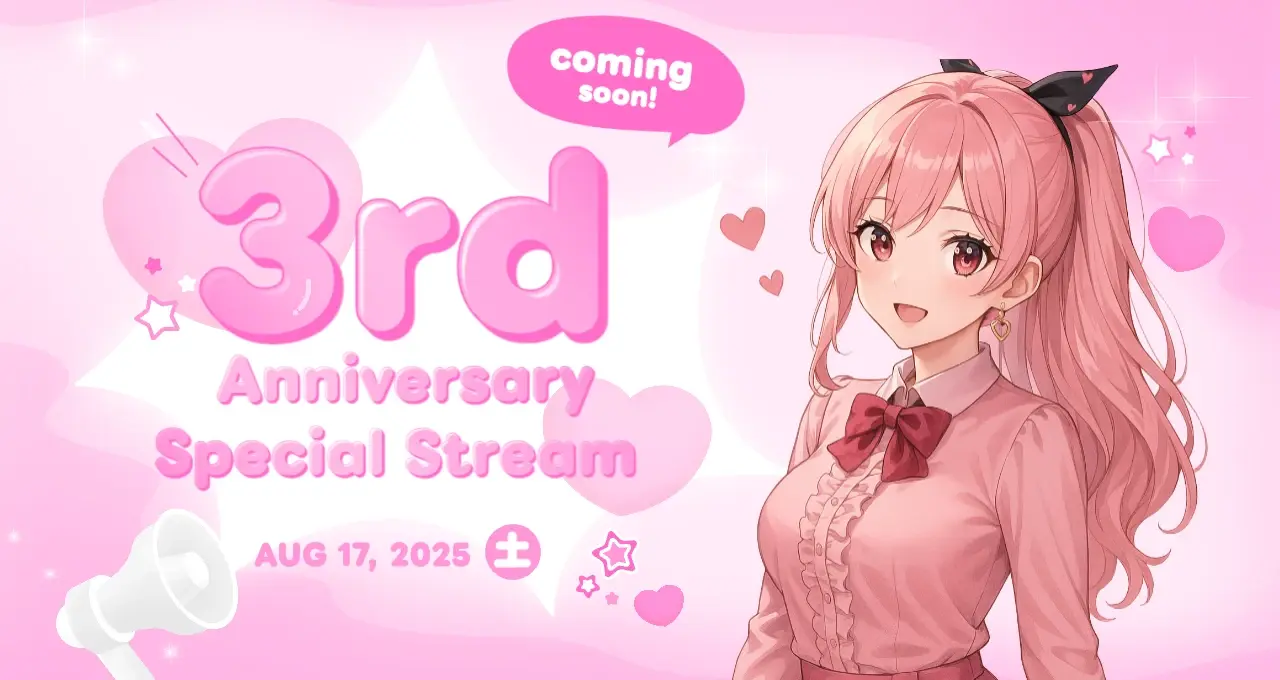
Youtube thumbnail for streaming created using the GPT Character Generator feature
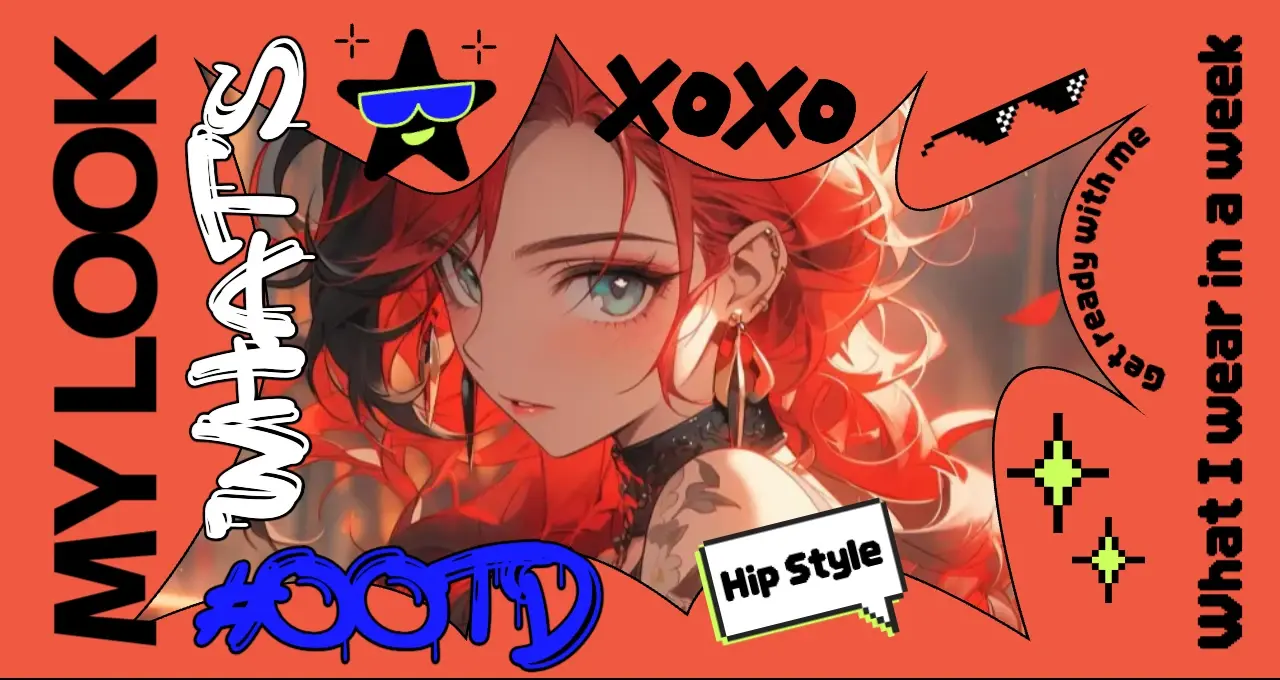
Youtube thumbnail created using the GPT Character Generator feature
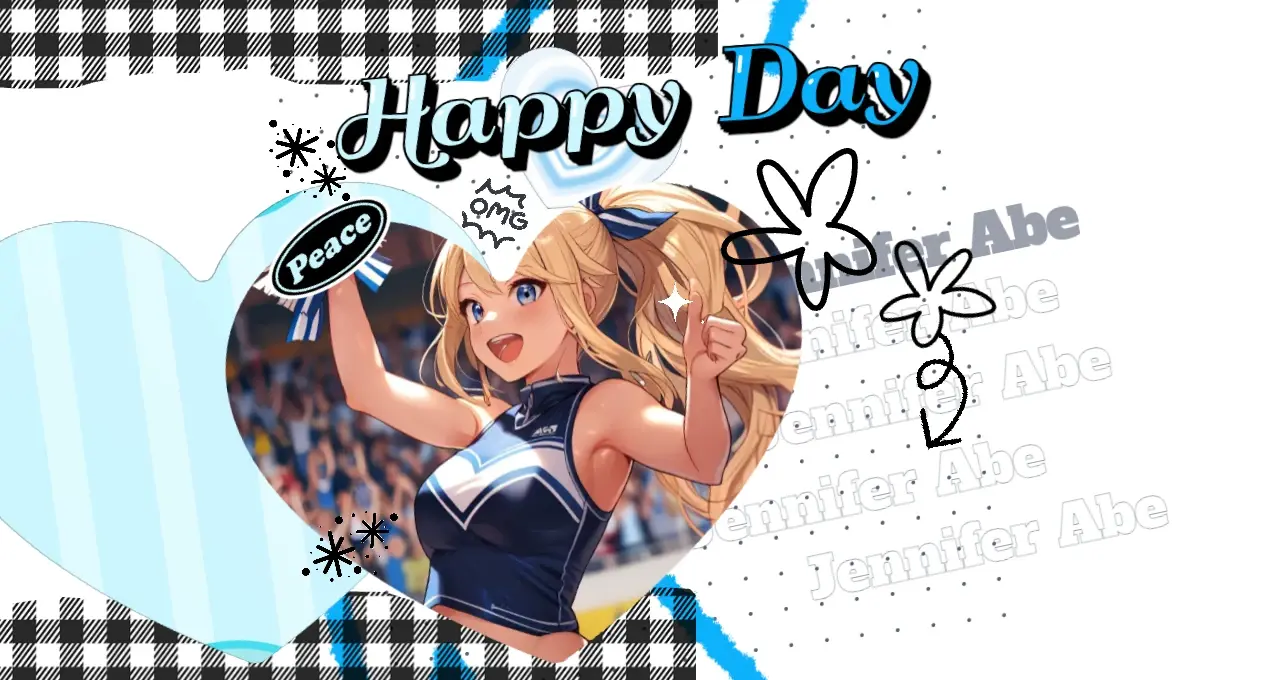
Cheerleader character fan card created using the GPT Character Generator feature
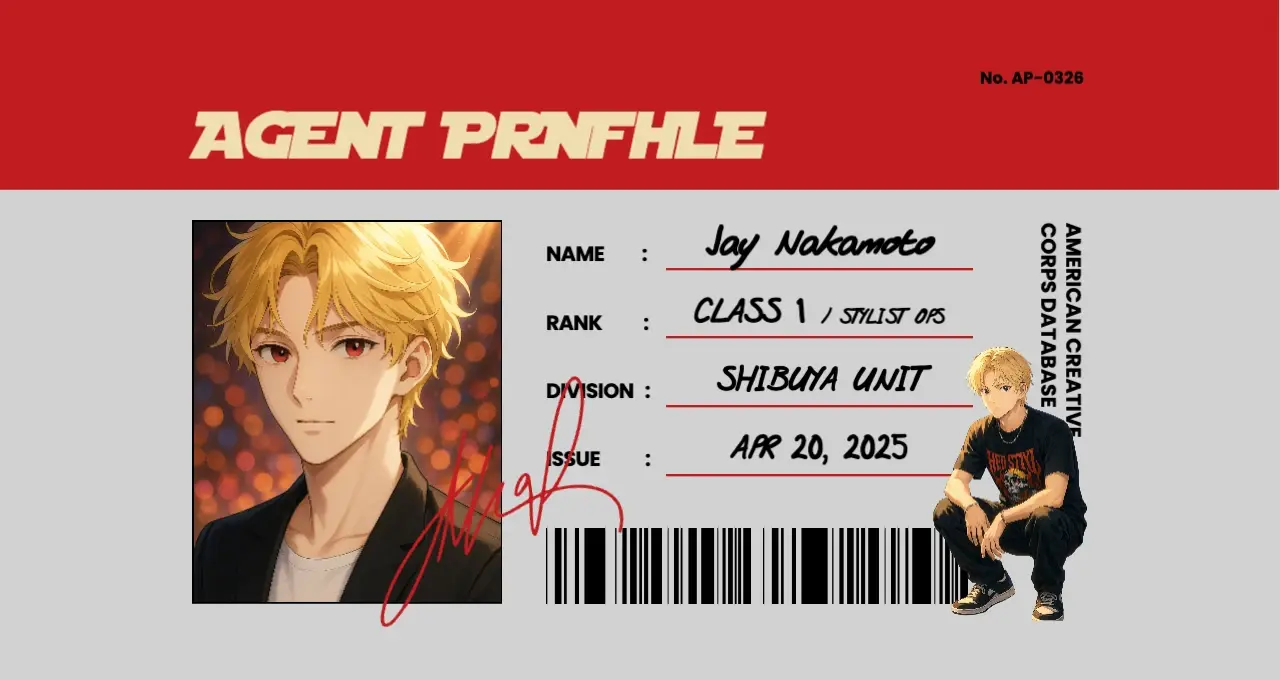
Game character profile card created using the GPT Character Generator feature

Explore Various Designs Created with GPT Anime-Style Illustration Generator

Check out templates actually completed using MiriCanvas's miricle AI. Get inspired for your own design ideas by seeing the results of various AI functions like image generation, background removal, and icon creation.
Youtube thumbnail for streaming created using the GPT Character Generator feature
Youtube thumbnail created using the GPT Character Generator feature
Cheerleader character fan card created using the GPT Character Generator feature

How to Use

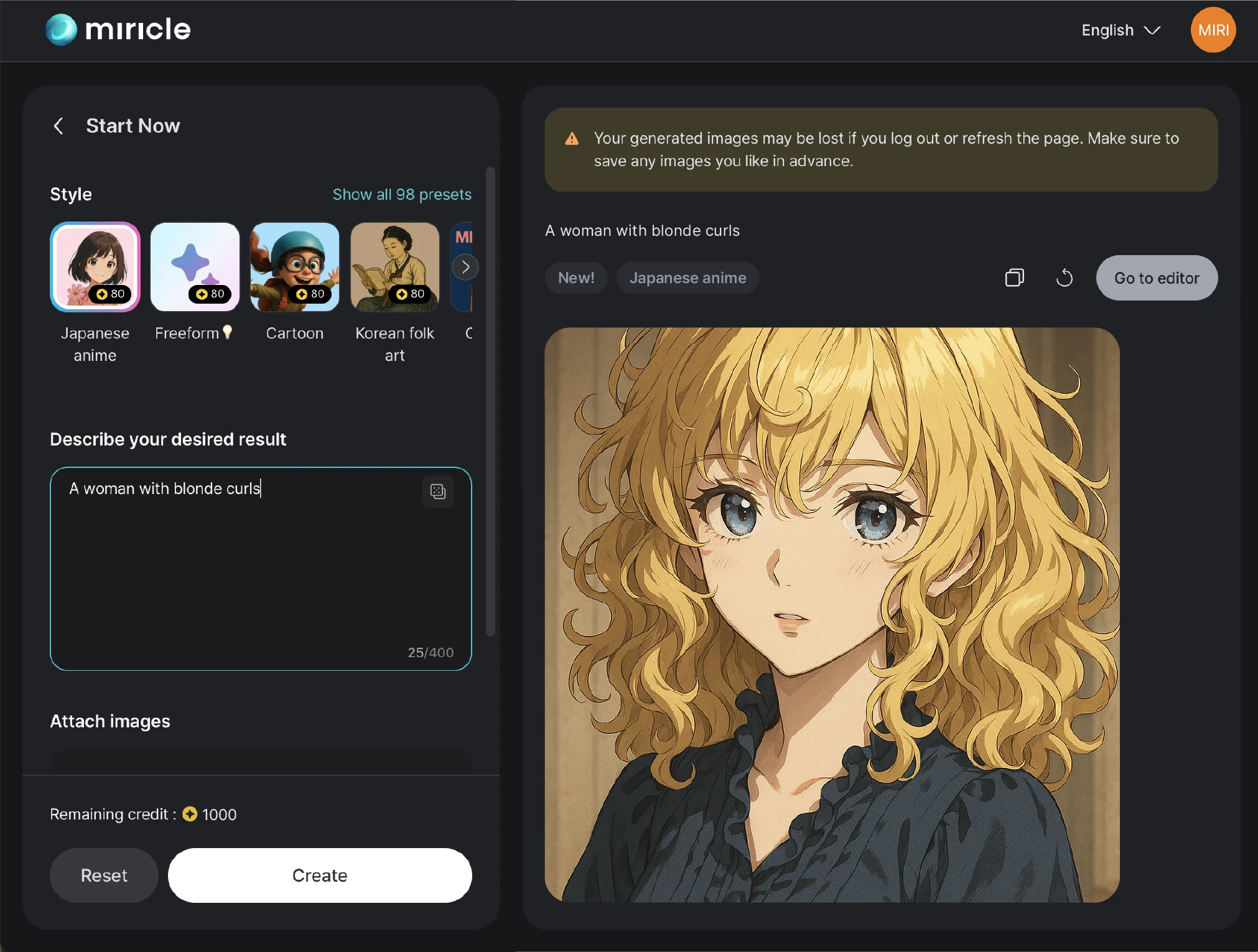
Interface showing the generated image in the miricle interface
1
Click the button below to access the "miricle" page.
2
Select "Japanese Anime" in the style options.
3
Enter your desired prompt or attach a reference image.
4
Click the "Create" button and AI will create a character based on your input conditions.
5
Download the completed image and use it in various MiriCanvas templates for SNS icons, profile pictures, broadcast thumbnails, etc.
Generate Anime Style Illustrations

Design, write, and edit faster with miricle AI.

FAQ

How many images can I generate per day?

When you sign up, you’ll receive a daily allotment of free credits. The number of images you can generate depends on your subscription. Pro users receive more credits—see our pricing page for full details.

How do I download the generated images?

Click the “Download” button at the top right and choose JPG or PNG. Your images can be freely used across websites, social media, print materials, and more.

How long does it take to generate an image?

Most generations take 50 seconds to 1 minute. Complex styles or high-resolution uploads may require a bit more time.

Can I use MiriCanvas AI images for commercial purposes?

Yes. All designs created in MiriCanvas can be used for commercial use—marketing, advertising, social media, and beyond.
However, please note the following restrictions:
- You may not sell or redistribute MiriCanvas templates or design elements as-is.
- Use for trademark registration or contests may be restricted.
- Usage is prohibited in industries such as gambling, adult entertainment, or others that violate public morals.
Refer to our terms of use for detailed guidelines.

See Authentic Reviews from MiriCanvas Users

Honest and genuine stories from actual users of Miricanvas. Discover how their design process has changed and how much their work efficiency has improved.

"Needed a custom background for our mental health campaign. Typed 'calm forest with pastel tones' into the AI generator and got exactly what I was looking for in under a minute. Way better than scrolling through stock photo sites for hours."

Content Marketer

"I needed visual aids for my AP History class and didn't have time to learn Photoshop. This was way easier than PowerPoint for making infographics. Students actually pay attention when the materials look decent."

High School Teacher

"The AI-powered tools, like auto-generating slides from text or prompts, save a lot of time, especially during exam season or tight deadlines. It’s both beautiful and practical."

Student

See Authentic Reviews from MiriCanvas Users

Honest and genuine stories from actual users of MiriCanvas.
Discover how their design process has changed and how much their work efficiency has improved.

"Needed a custom background for our mental health campaign. Typed 'calm forest with pastel tones' into the AI generator and got exactly what I was looking for in under a minute. Way better than scrolling through stock photo sites for hours."

Content Marketer

“We wanted to test A/B creatives for Instagram ads. I used the AI Image Generator to create multiple visual variants of the same concept just by tweaking the prompt slightly. Saved me hours of manual design work.”

Social Media Manager

“The AI-powered tools, like auto-generating slides from text or prompts, save a lot of time, especially during exam season or tight deadlines. It’s both beautiful and practical.”

Student

"I needed visual aids for my AP History class and didn't have time to learn Photoshop. This was way easier than PowerPoint for making infographics. Students actually pay attention when the materials look decent."

High School Teacher

"We're always on a tight budget for marketing materials. This lets us create professional-looking fundraising flyers and event posters without breaking the bank. Board members are impressed with how polished everything looks now."

Program Coordinator

Start designing today!

Create a design
