
Create Stunning Presentations with AI

Enter your content, and AI generates a presentation with slide layouts that fit your content. Complete your design and structure in no time, and customize it for a professional finish. Make effective presentation materials easily with AI!

Smart presentations, created for you by AI

Simply enter a few keywords or upload your materials, and the AI will analyze the key points and automatically create clean, professional slides. It also suggests slides that fit your topic, and you can easily customize the style to match your preferences. Adjust the number of slides to fit anything from a simple presentation to a detailed report. Focus on your ideas — AI handles the design so you can start presenting right away.
Generate AI Presentation
Download options for saving the complete presentation in various formats like PDF and PPTX
Full preview of slides generated with the AI presentation feature

Customize your slides for a more polished presentation

Slides generated by AI are fully editable. Change colors and fonts, adjust layouts the way you like, and add key points to make the presentation truly yours. Use the AI writing and Enhance readability features to polish sentences naturally, and instantly create images with AI when needed. With tools like Summarize and Spell check, you can easily craft presentations that look professional and feel refined.
Generate AI Presentation

Make the most of your finished presentation

Download your completed presentation in PDF or PPT format, or share it instantly via a link — perfect for sharing presentation files or collaborating with your team. Add animations or slide transitions to bring your presentation to life. With shared drives, you and your team can leave feedback, make edits in real time, and finalize the presentation together. Make your presentations smoother, smarter, and more impactful with MiriCanvas AI.
Generate AI Presentation
Download options for saving the complete presentation in various formats like PDF and PPTX

Why You Should Create AI Presentations with Miricanvas

From automatic slide generation to collaborative editing — experience MiriCanvas’ all-in-one AI presentation tool!
Comparison table of Miri Canvas AI presentation features with GAMMA and Canva services. Shows item-by-item comparison of presentation generation count, number of slides, design themes, AI image insertion, editing flexibility, collaboration features, and Pro plan pricing
This table compares the AI presentation features of Miricanvas, Gamma, and Canva  based on the official website information of each service as of June 2025 (based on the free plan).
Generate AI Presentation

Say goodbye to presentation stress—AI builds it for you

Whether it’s an investor pitch, class presentation, or marketing deck, MiriCanvas AI turns your ideas into a persuasive story and beautifully designed slides.
Freelancer icon
For Professionals
Quickly and persuasively create presentation materials for reports, proposals, or meetings.
Teacher icon
For Educators
Just enter your lesson content and your teaching materials are ready. Save time on lesson preparation without complex slide work.
Student icon
For Students
Simply input your topic and your presentation material is complete. Reduce assignment stress and elevate your presentation quality.

Explore sample presentations created with AI

See Miricle AI’s real outputs at a glance. From text prompts to polished slides, discover presentations in different styles and use cases that can inspire your next deck.
Sample product detail presentation created using the AI Presentation feature
Company organization introduction presentation created using the AI Presentation feature
Project proposal presentation created using the AI Presentation feature
Educational material presentation created using the AI Presentation feature

Explore Various Designs Created with AI Presentation

Check out templates actually completed using MiriCanvas's miricle AI. Get inspired for your own design ideas by seeing the results of various AI functions like image generation, background removal, and icon creation.
Sample product detail presentation created using the AI Presentation feature
Company organization introduction presentation created using the AI Presentation feature
Educational material presentation created using the AI Presentation feature

How to Use

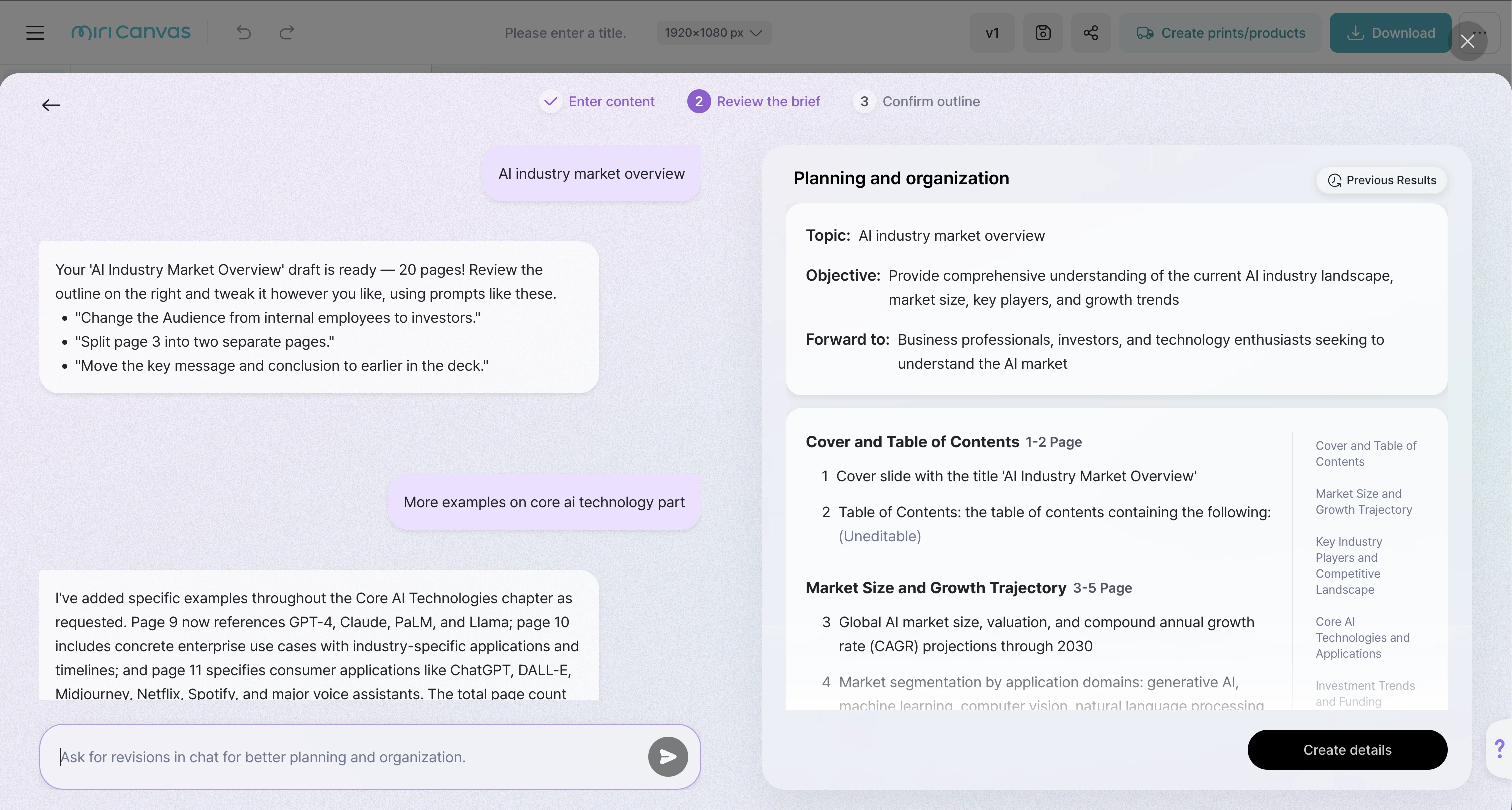
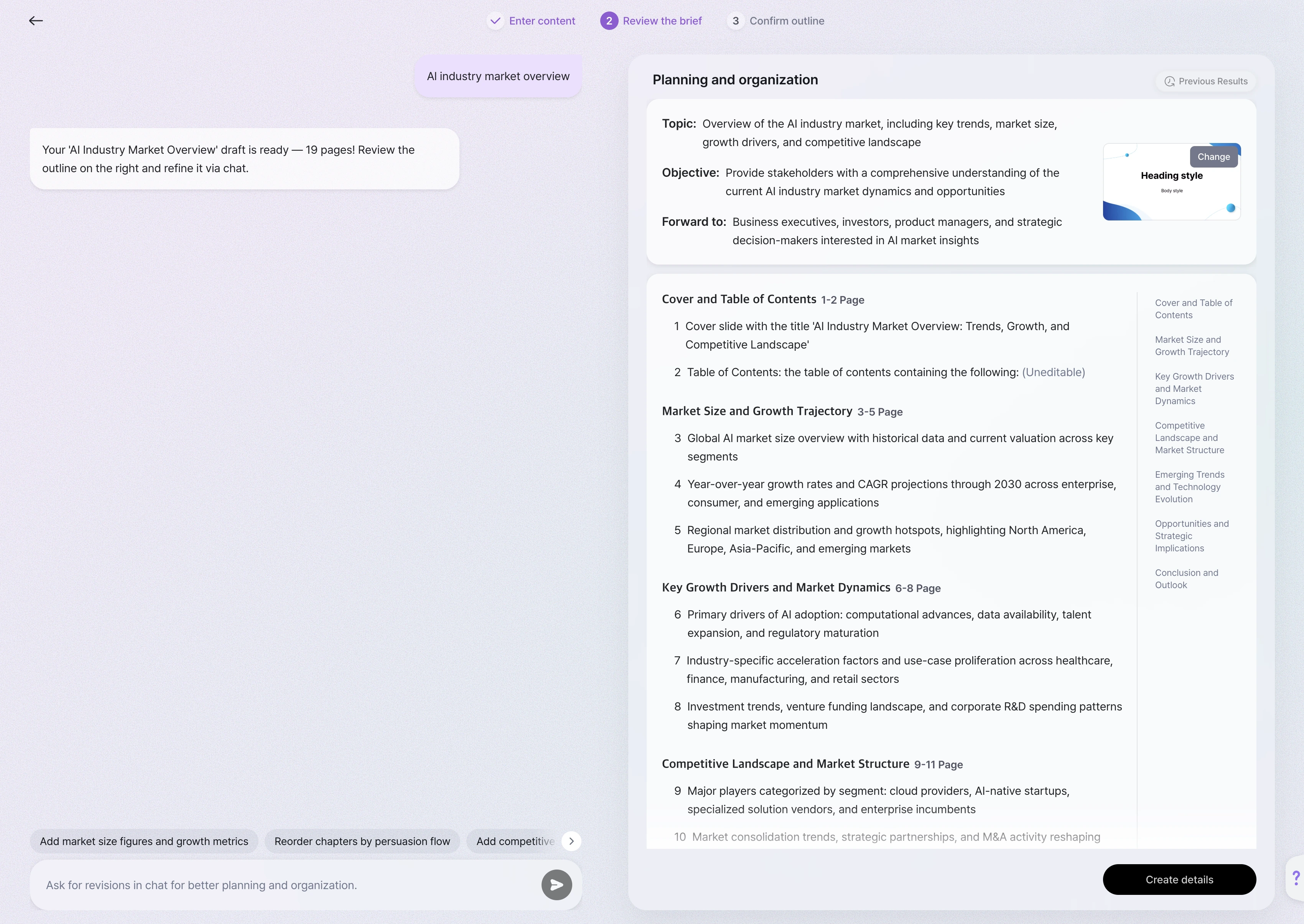
MiriCanvas AI presentation feature interface
1
Click the button below to access the "miricle" page.
2
Enter your presentation topic or content, or upload a PDF.
3
Specify detailed settings like number of pages, audience type, tone to set your desired presentation style.
4
Click "Create Outline" for AI to automatically generate an outline, then freely adjust the order and content.
5
Click "Go to Template Selection" to choose a suitable design, and AI will create a basic draft. Then use miricle AI features in the editor to directly generate images or use various editing tools to enhance your content.
Generate AI Presentation

FAQ

Can I edit AI-generated slides?

Absolutely. Even after the AI automatically generates your presentation, you can freely edit the layout, colors, fonts, and any inserted text. You can also refine your writing using the AI Writing tool, check grammar and spelling, and generate new images with the AI Image Generator to enrich your slides. Whether you're a beginner or experienced, you can easily tailor your presentation to match your style.

Is the AI presentation feature free?

Yes, you can use it for free up to a certain number of times. If you’d like unlimited access or need to create presentations frequently, upgrading to the Pro plan will allow you to use the AI presentation tool without restrictions.

Can I share or download the generated presentation?

Yes, you can. Completed presentations can be downloaded in PPTX or PDF format, making them easy to use offline. You can also share them with others via link or collaborate with team members. Additionally, presentations can be played online, making them great for live presentations as well.

Is the content in AI-generated presentations always accurate and reliable?

AI builds slides based on the information you provide. While it’s great for quickly outlining your presentation, important details and context should be reviewed and edited by you. There may be inaccuracies, so think of the AI as a helpful assistant—but the final quality depends on your input and review.

Design, write, and edit faster with miricle AI.

See Authentic Reviews from MiriCanvas Users

Honest and genuine stories from actual users of Miricanvas. Discover how their design process has changed and how much their work efficiency has improved.

"Needed a custom background for our mental health campaign. Typed 'calm forest with pastel tones' into the AI generator and got exactly what I was looking for in under a minute. Way better than scrolling through stock photo sites for hours."

Content Marketer

"I needed visual aids for my AP History class and didn't have time to learn Photoshop. This was way easier than PowerPoint for making infographics. Students actually pay attention when the materials look decent."

High School Teacher

"The AI-powered tools, like auto-generating slides from text or prompts, save a lot of time, especially during exam season or tight deadlines. It’s both beautiful and practical."

Student

See Authentic Reviews from MiriCanvas Users

Honest and genuine stories from actual users of MiriCanvas.
Discover how their design process has changed and how much their work efficiency has improved.

"Needed a custom background for our mental health campaign. Typed 'calm forest with pastel tones' into the AI generator and got exactly what I was looking for in under a minute. Way better than scrolling through stock photo sites for hours."

Content Marketer

“We wanted to test A/B creatives for Instagram ads. I used the AI Image Generator to create multiple visual variants of the same concept just by tweaking the prompt slightly. Saved me hours of manual design work.”

Social Media Manager

“The AI-powered tools, like auto-generating slides from text or prompts, save a lot of time, especially during exam season or tight deadlines. It’s both beautiful and practical.”

Student

"I needed visual aids for my AP History class and didn't have time to learn Photoshop. This was way easier than PowerPoint for making infographics. Students actually pay attention when the materials look decent."

High School Teacher

"We're always on a tight budget for marketing materials. This lets us create professional-looking fundraising flyers and event posters without breaking the bank. Board members are impressed with how polished everything looks now."

Program Coordinator

Start designing today!

Create a design

