Type what you want to present. Upload an existing PDF if you have one.
MiriCanvas is an AI presentation maker that turns a single sentence into a complete, designed slide deck — in minutes. Just type your topic, and AI handles structure, layout, and visuals automatically. Whether you need a PowerPoint AI tool for work, an AI slideshow maker for school, or a fast way to build any presentation AI can handle — MiriCanvas gets you from idea to finished deck without the hassle. No design skills needed.
Slide creation usually means juggling content organization, layout design, image sourcing, and visual polish. MiriCanvas AI handles all of it together, so you can go from idea to finished presentation in far less time.
Enter a topic or description — AI builds the story structure and designs the slides automatically. Skip the blank-page struggle and start from a strong foundation.
You don't need to know design tools or how to write AI prompts. Enter a few details, and MiriCanvas recommends a layout and structure that fits your content — ready to use right away.
Text, images, and layout are all independently editable. Download as PPTX and continue editing in PowerPoint with full element-level control.
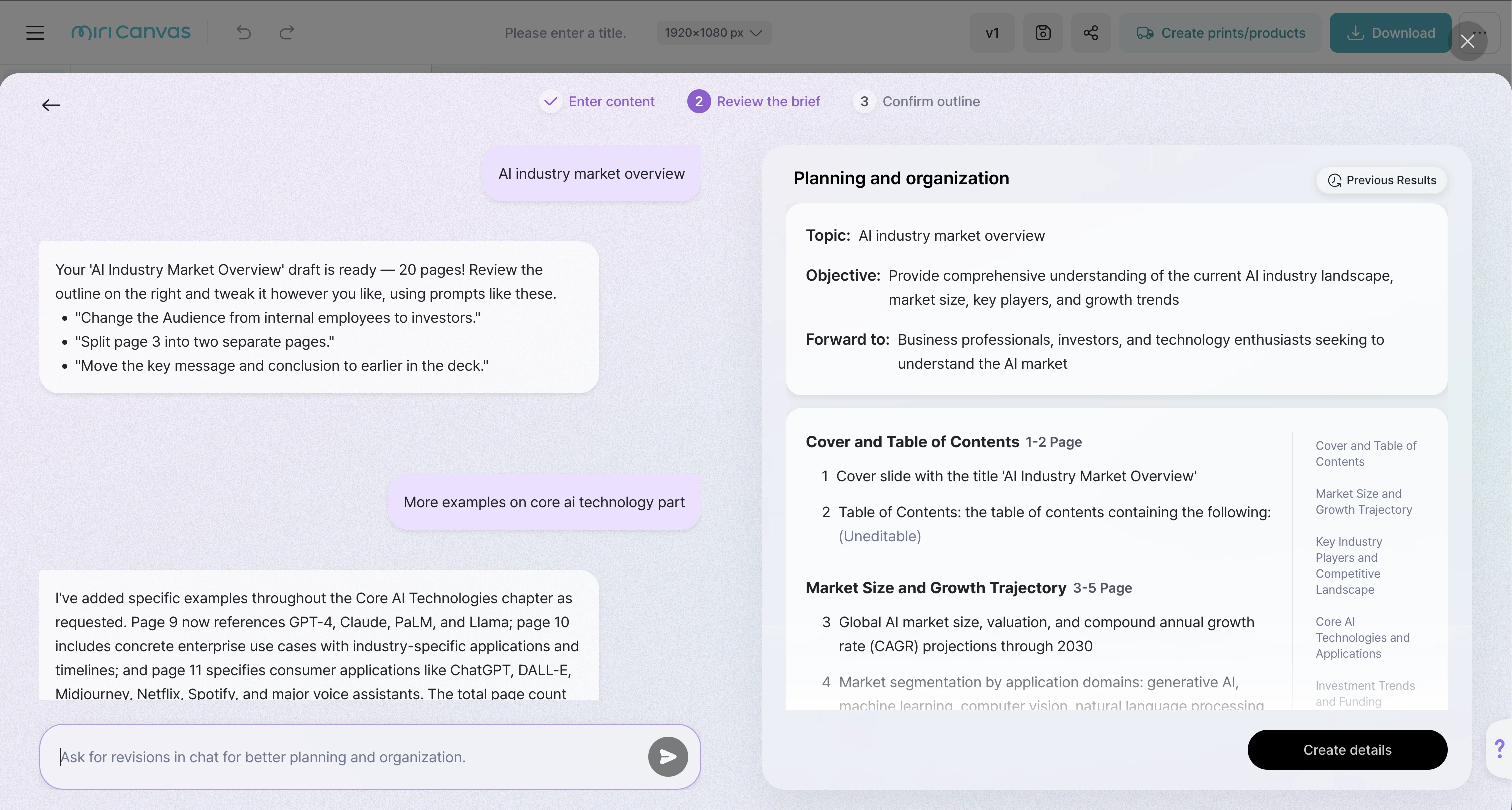
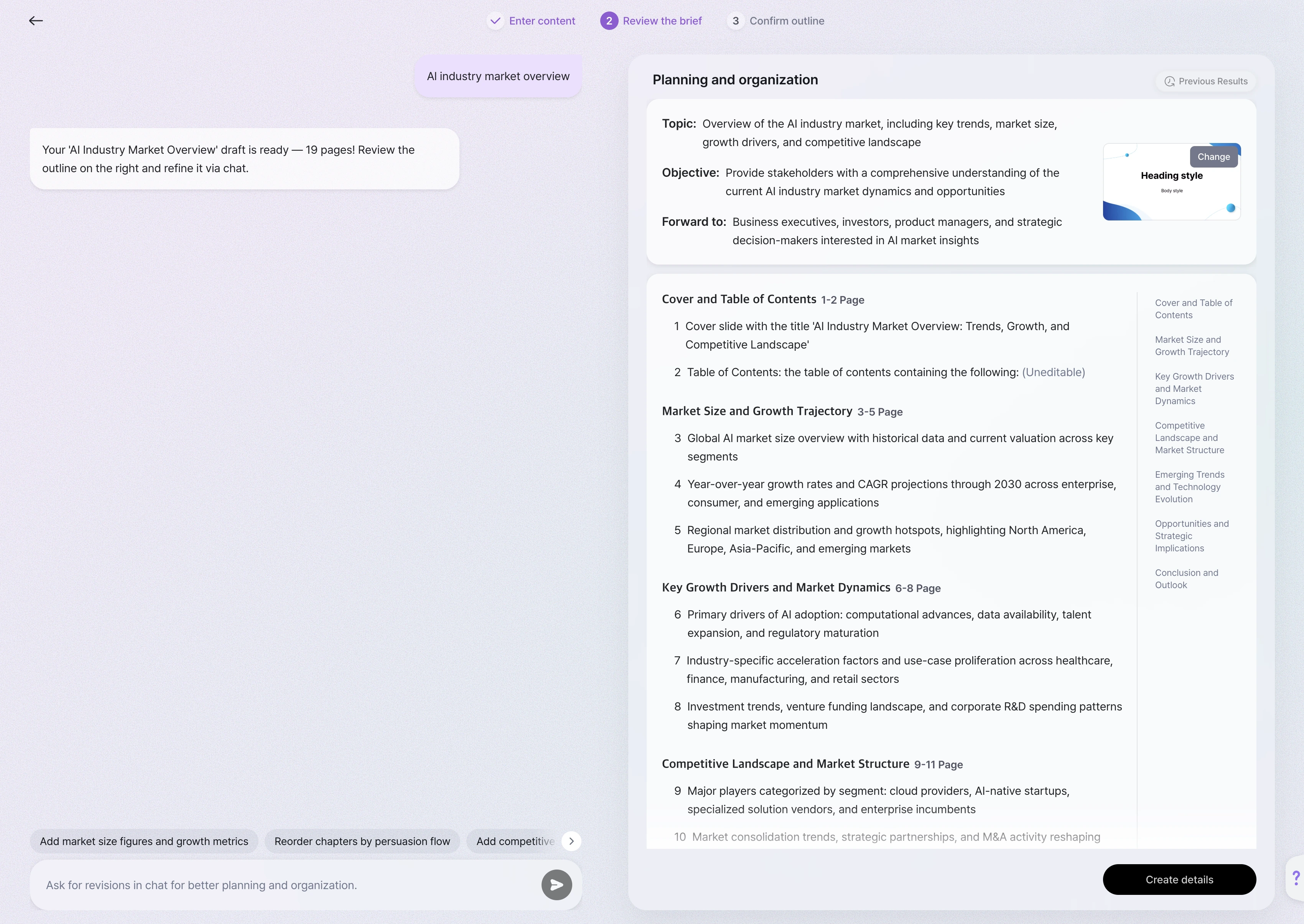
Stop staring at a blank slide. Type your topic or goal, and AI generates a complete outline — built around your purpose and audience, not just your keywords. Every suggestion is shaped around the narrative flow of your whole deck.
AI proposes a logical slide-by-slide structure that fits your presentation goal.
Chat back and forth to adjust direction, tone, or content — without starting over.
When your structure is finalized, AI proposes layouts that visually carry your content's logic through to the finished design.


Browse professionally designed templates, pick a style that fits your presentation, and get a complete, consistent deck instantly. Every MiriCanvas template is built by professional designers with optimized color, font, and layout — no guesswork required.
Business, minimal, casual, and more — choose what fits your audience and occasion.
Typography, color, and layout are pre-balanced so every slide looks intentional.
Relevant images are inserted automatically for each slide's content.
Generated slides are ready to use — or easy to customize in the editor.
One of the most frustrating things about AI-generated slides: change one word and the whole layout collapses. MiriCanvas keeps every element — text, images, shapes — independently structured, so your edits stay targeted, not disruptive.
Reposition and resize any element freely.
Change colors, fonts, and backgrounds directly in the editor.
Add, delete, or reorder slides at any time.
Polish your writing with the built-in AI writing tool.
Finished with the basics? Use MiriCanvas's built-in AI toolkit to sharpen your visuals — all without leaving the editor.

Create original, on-brand images and illustrations for any slide.

Turn key ideas into custom visual icons for at-a-glance clarity.

Remove the background from any image in one click.

Sharpen screenshots and low-res photos for crisp, professional display on any screen.
When your deck is complete, get it where it needs to go — in the format that works best for you. Decks stay saved and editable — update them anytime or repurpose them for a new presentation.
Optimized for web or print. Ready to use immediately.
Full element-level editing in PowerPoint after export — text, images, and shapes stay independent.
Export animated slides as video or looping GIF files.
Share a live link for real-time collaboration and co-editing.


Whether you're building an AI PPT for work or a class deck from scratch, MiriCanvas makes the whole process simple.
Here's exactly how it works:
Type what you want to present. Upload an existing PDF if you have one.

Choose from available templates based on your goal and visual preference.
Chat back and forth to sharpen your message and finalize the direction.
Check the slide order, content, and layout. Make any adjustments.
Click generate and AI builds the complete, designed presentation.
Fine-tune in the editor, then export as PDF, PPTX, or link.
Yes. MiriCanvas never uses your uploaded content or text to train AI models. Your business documents and internal materials stay private and secure.
Yes. Proposals, training materials, marketing decks — all fair game. Note: Reselling generated designs as templates or selling generated assets separately is not permitted. See our copyright guide for details.
Free users can create up to 5 AI presentations per month, with up to 30 slides each. Slide generation, editing, and PPTX download are all included on the free plan. Upgrade to Pro for unlimited use.
※ Need a team or enterprise plan? [Contact us.]
Yes — colors, fonts, layouts, and text are all fully editable. Use the built-in AI writing tool to polish copy, or the AI image generator to create new visuals and drop them directly into your deck.
PDF, PNG, JPG, PPTX, MP4, and GIF. PPTX export preserves full element-level editing in PowerPoint. You can also share a live link for online presenting or collaboration.
Yes — share via link for live co-editing, or download and distribute as a file.
From sales pitches to internal reports to class projects — MiriCanvas AI turns your topic into a polished slide deck, fast. Spend less time building and more time on what you actually want to say.
※ Best experienced on desktop.