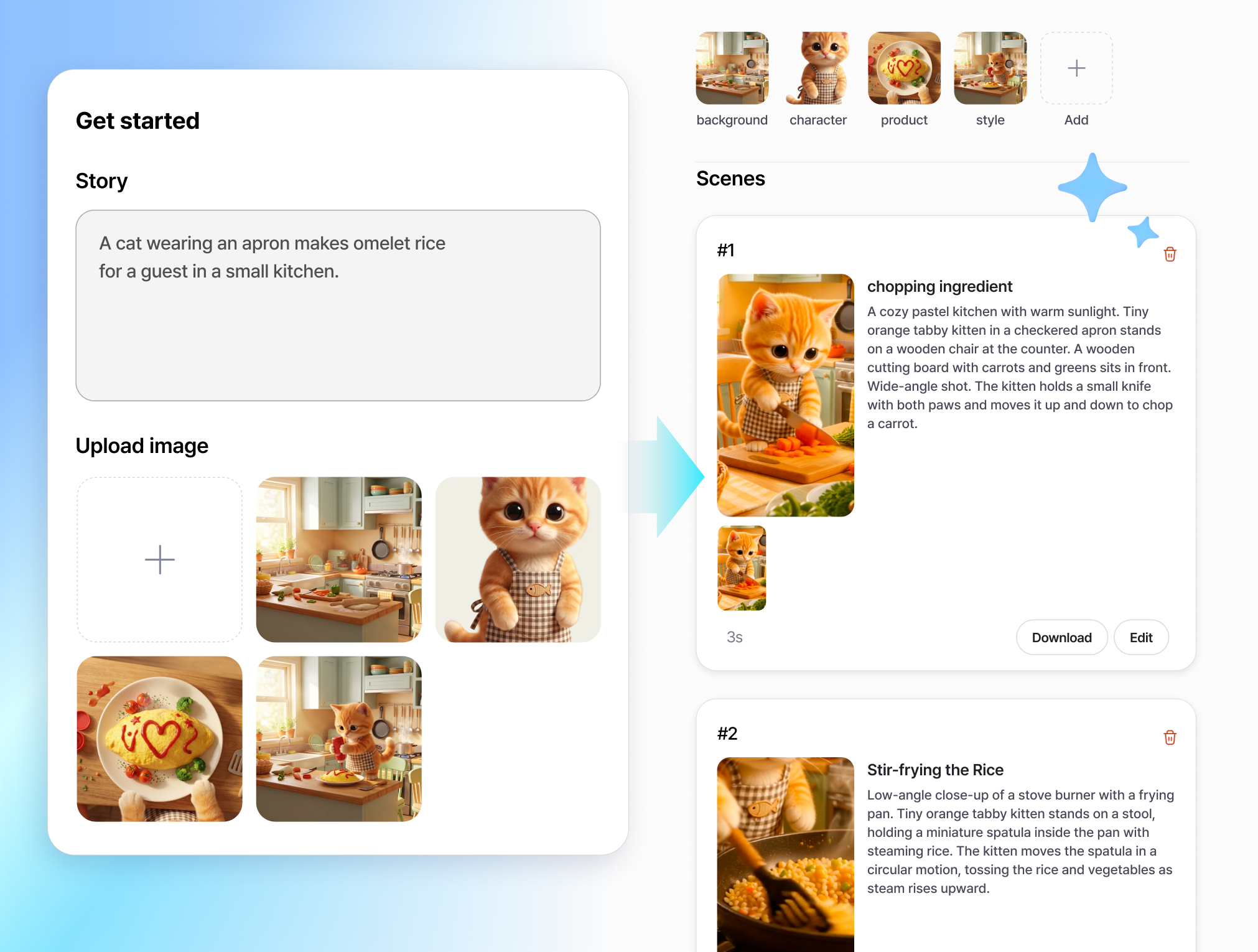
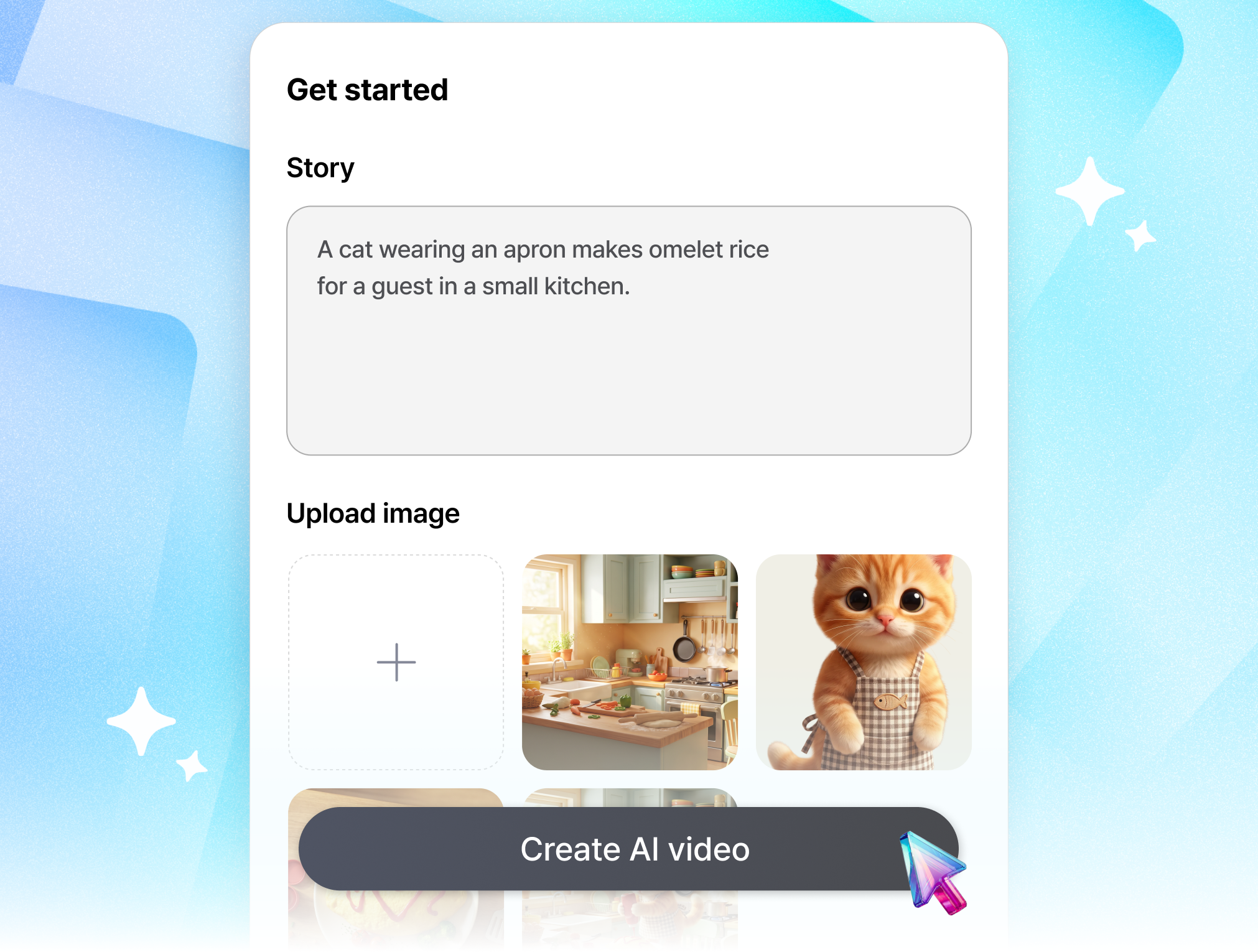
Write the scene you want to create in the Story field. If you have images of characters, products, or backgrounds you want to include, you can upload several at once. (Images are optional.)
Write the scene you want to create in a single line. AI builds out the story, writes a script and camera direction for each scene, and turns it all into vertical shorts made up of multiple scenes. Create your own YouTube Shorts and TikTok videos on MiriCanvas, no filming or editing software needed.
There's no need to prepare a long script. Write the scene you want in a single line and upload an image, and AI splits the story into scenes that follow the flow, then writes a title and detailed script for each one. The scripts include not only how the subjects move but also camera direction like low angles, tracking shots, and close-ups, so you get a video structure that fits YouTube Shorts and TikTok even without any filming know-how.
The finished scenes play in order to form a complete short that's ready to post. Want to make shorts that grab attention? Put an intriguing scene in the first sentence of your story.


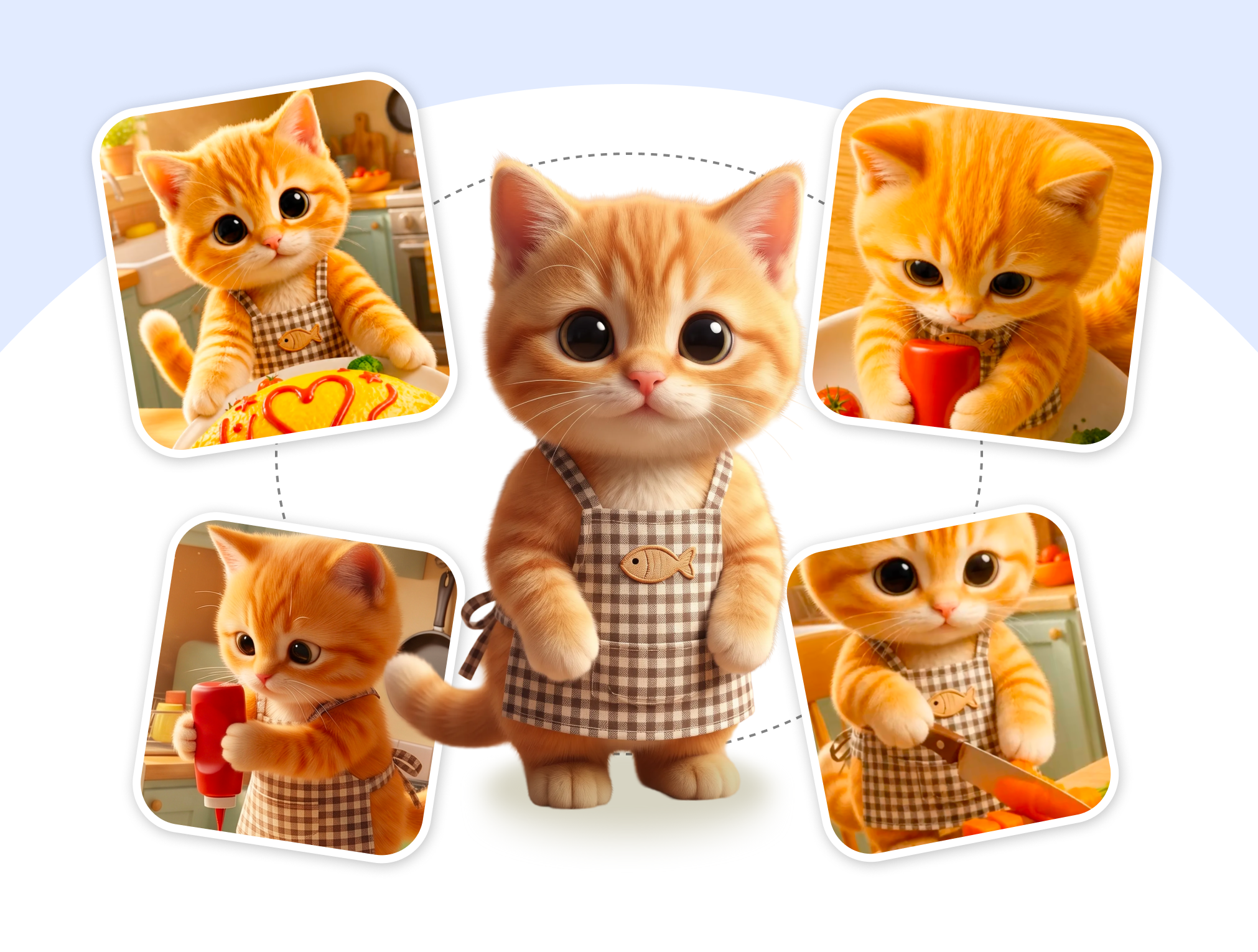
Upload several images of the characters or products you want in your short right from the start. AI keeps the look of the subjects in your images and features them the same way from the first scene to the last. You don't have to describe them again for every scene, so character consistency is maintained and your scenes flow naturally as one story, even as they change.
You can organize uploaded images into characters and reference images, and choose which characters appear in each scene. Build your short however you like, with only the main character in one scene and the main character and a product together in the next. Don't have a character yet? You can create one first with the AI image generator.
You can edit scene scripts yourself at any time. Add new scenes to continue the story, and delete the ones you don't need.
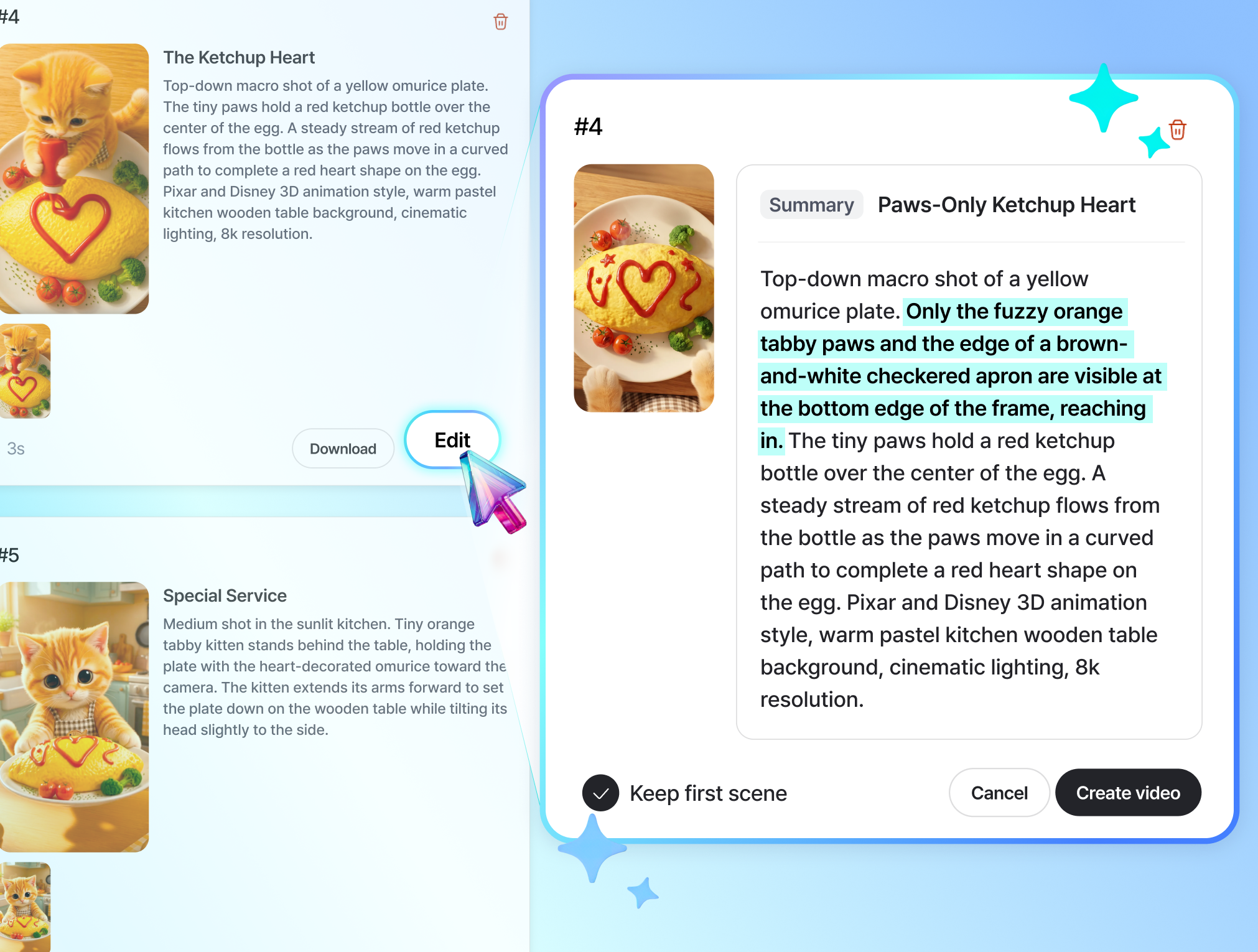
Even after your video is created, if there's a scene you're not happy with, just use Edit to recreate only that scene. Keep the scenes that turned out well and change only the parts you want.


Download your finished short as one full video, or download each scene separately. The videos you create are saved in Previous results, so you can open them again anytime.
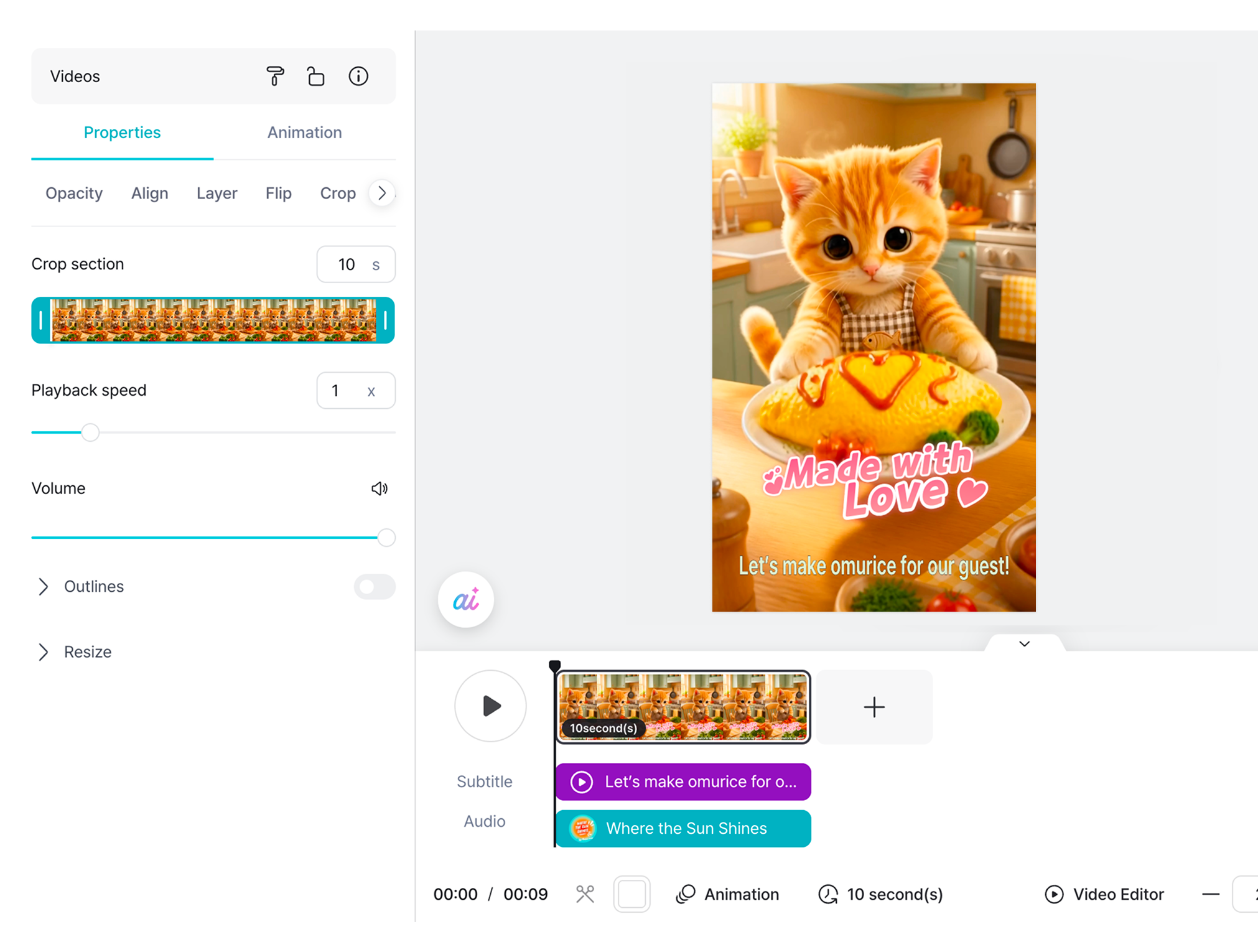
Upload the downloaded video to the MiriCanvas editor and finish it off with background music and subtitles. Need narration? You can add a voice track created with AI voice.
New to MiriCanvas? Try Pro features free for one month with a free Pro trial. You can sign up for the free trial after adding a payment method. See the Help Center for details.
During your free Pro trial, you get 1,000 credits every day. Download the videos you like as MP4s or GIFs with no limit, and decorate them with premium templates and elements to create content that's ready to use. Start your free trial now and create your first AI short.
No filming equipment or editing experience? No problem. As long as you have an idea, you can create the shorts you need, whether it's for running your channel, promoting your brand, or sharing news about your store.

Just write down your idea, and a complete short is ready without the time spent filming and editing. Upload your channel's character image, and you can keep creating and posting shorts starring that character.

Add your brand character or product images to create promotional shorts, like new product introductions or event announcements. Change the script for each scene to quickly prepare multiple versions of your ad creatives.

Turn the making of a new menu item, event news, or your store's atmosphere into a short story and post it on YouTube Shorts or TikTok. There's no need to hire someone to make your videos.

Write the scene you want to create in the Story field. If you have images of characters, products, or backgrounds you want to include, you can upload several at once. (Images are optional.)
Review the summary and script for each scene AI created, and edit the script or add and delete scenes if needed. You can also choose which images appear in each scene, or remove them.
Check the total length shown on the button and create your video. Use Edit to recreate only the scenes you're not happy with, and download individual scenes if you like.
Review your finished short in View all, give the file a title, and download it. Add background music and subtitles in the editor, then post it on YouTube Shorts or TikTok.